On this page
Build Map runs a fibre rollout in Jira on a street map. Every network segment is a Jira work item. The app checks the forecast hour by hour against each kind of outdoor work, shows which crews the rain or wind will stop this week, and proposes a new plan before the crew drives out.
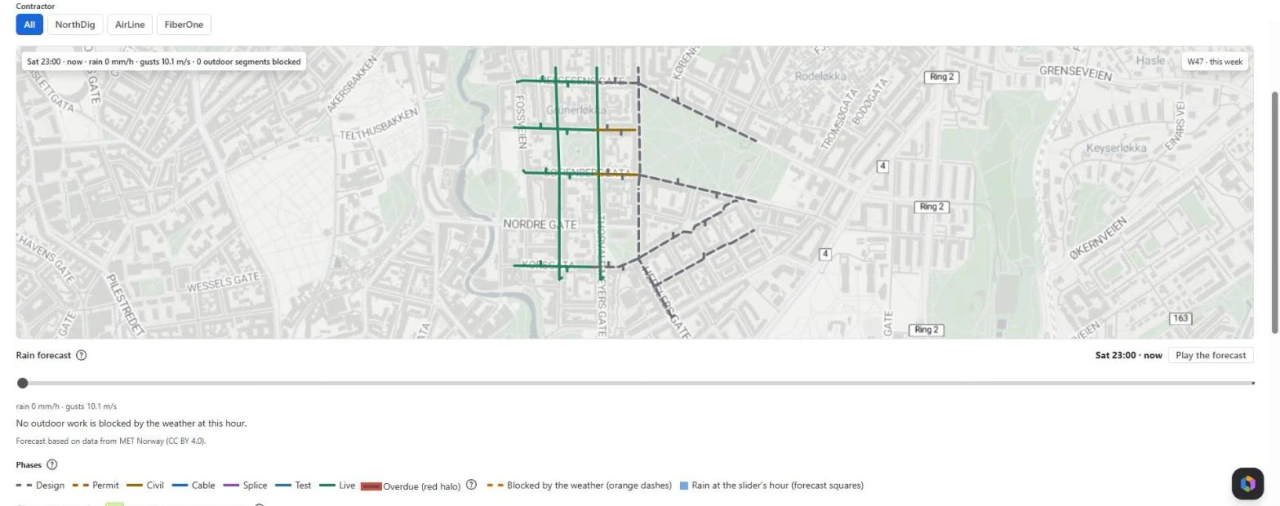
The rollout on a real street map
Each segment of your network design is a work item on the map, coloured by its phase: design, permit, civil, cable, splice, test, live. Overdue work has a red halo. Pick a contractor to see only its crews, drag the forecast hour and see which segments the weather blocks at that hour.
Import your design from a GeoJSON or KML file from your GIS tool. The design id is the key, so you can import again at any time without duplicates.
Workable hours for every kind of work
Trenching stops in light rain, a cable pull stops in strong gusts, splicing happens in a closed cabinet. Build Map checks MET Norway’s forecast against your limits per work type and shows the next 24 hours in green (the crew can work), red (rain or wind stops it) and grey (too dark).
A plan that moves work out of the rain
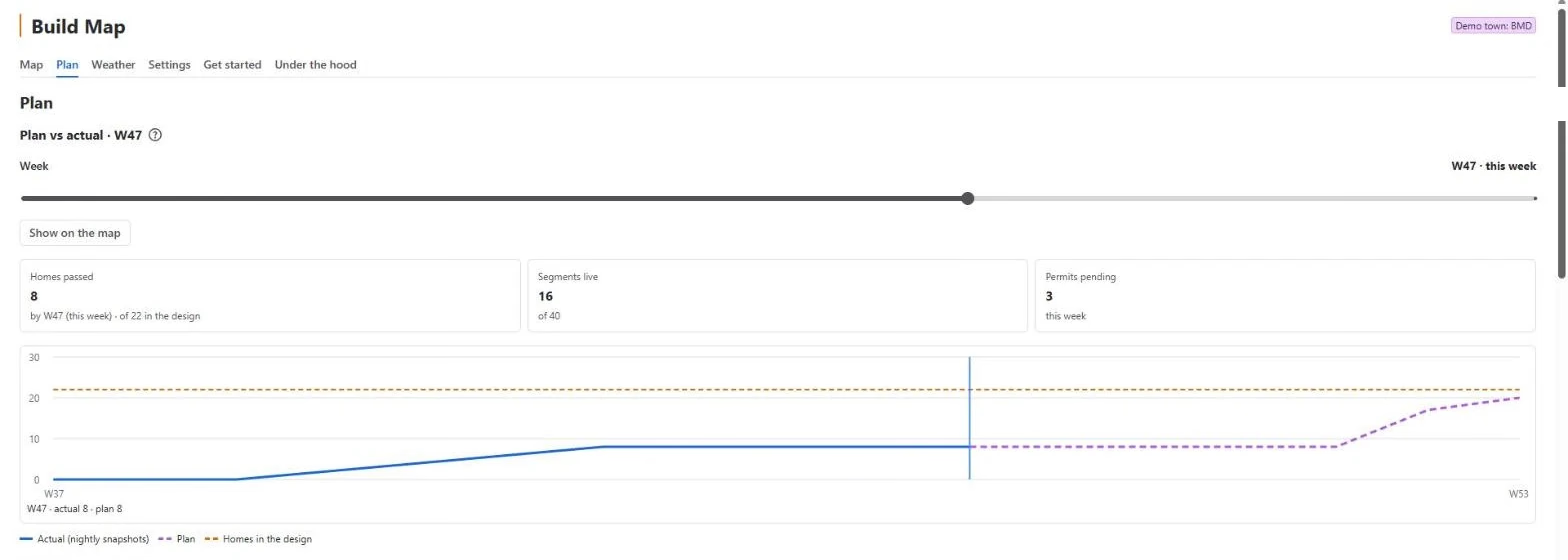
The Plan tab compares the plan with what was really built, week by week. The planner’s proposal moves due dates out of bad weather, around pending permits and within each contractor’s capacity — and says why for every move. Nothing changes until you press Apply. Ask “what if this permit comes two weeks late?” and see how many homes and how much money it costs.
Contractors and residents on the portal
Link one Jira Service Management desk. Each contractor is a JSM organisation and sends a progress report from the phone — metres, a photo and a blocker — without a Jira licence. Residents look up their street and see when it gets fibre; Notify me tells them when the date moves.
A planner in Rovo
The Build planner agent in Rovo plans the week from the facts the app gives it, moves tasks out of the rain and drafts permit letters as Confluence drafts. A site admin can also switch on the MCP tools for an AI client.
Try it in a minute
Load the demo town on the Get started tab: 40 segments and 4 permits on real streets in Oslo, three contractors and eight weeks of crew reports, all marked TEST. Remove demo town takes it all away.
Frequently asked questions
Who is Build Map for?
Teams that build fibre to the home, or any outdoor network work planned in Jira, where trenching, cable pulls and splicing depend on the weather, permits and contractor crews.
Do I need a weather or map key?
No. The forecast comes from MET Norway, which is free and needs no key. Streets under the map work out of the box with Simplify's shared Stadia Maps key; a Jira admin can add the company's own Stadia key in Settings at any time.
Where is my data stored?
Segments stay Jira work items. The map boxes, the forecast and the weekly history are kept in the app's Forge storage inside your Atlassian site. Only map-cell coordinates go to MET Norway and only tile numbers to Stadia Maps — never a work item. See the privacy policy for the full list.
Do contractors need a Jira licence?
No. Each contractor is a Jira Service Management organisation and sends progress reports from the portal on the phone, without a Jira licence.
Does it change due dates on its own?
No. The planner proposes moves and says why. Nothing changes until a person presses Apply, and every move is made as that person.
Get Build Map
Free up to 10 users. Install it from the Atlassian Marketplace.